
What Is the Power Supply Unit in a Computer? Complete Essential Guide
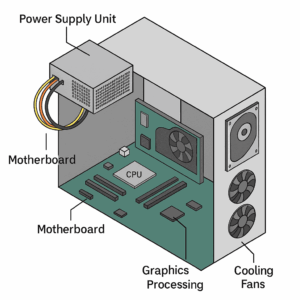
A power supply unit (PSU) in a computer is a hardware component that converts electrical energy from an external source into regulated power for the internal components of the system. Understanding what is the power supply unit in a computer is important because it determines how reliably the entire system can operate.
Definition
The power supply unit in a computer provides power by converting alternating current (AC) from a wall outlet into direct current (DC). This regulated DC is required for the motherboard, central processing unit (CPU), graphics processing unit (GPU), storage drives, and cooling systems. Since all these parts rely on steady voltages, knowing what is the power supply unit in a computer helps explain why it is considered the backbone of modern PCs.
Functions of Power Supply Unit in Computer
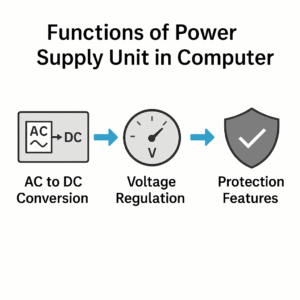
The PSU performs several essential roles:
-
AC to DC Conversion – Converts household AC electricity into DC power suitable for computer components.
-
Voltage Regulation – Maintains consistent voltage across all components.
-
Power Distribution – Supplies different voltage rails, such as +12 V, +5 V, and +3.3 V.
-
Safety and Protection – Includes overvoltage, undervoltage, overcurrent, short-circuit, and thermal protection.
-
Efficiency – Reduces wasted energy through systems such as the 80 PLUS certification.
By fulfilling these tasks, the PSU becomes a critical device in any system, showing why the functions of power supply unit in computer hardware are central to stable operation.
Types of Power Supply in Computer
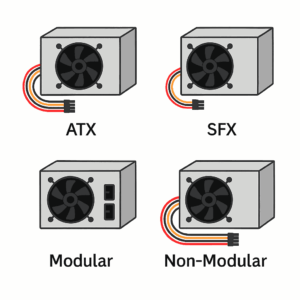
By Form Factor
-
ATX Power Supplies – The most common type in desktop systems.
-
SFX Power Supplies – Smaller units for compact or mini-ITX cases.
-
Server PSUs – Designed for enterprise environments, often with redundancy.
By Cable Design
-
Non-Modular PSUs – Have all cables permanently attached.
-
Semi-Modular PSUs – Include both fixed and removable cables.
-
Modular PSUs – Allow users to attach only the cables needed.
Each type plays a role depending on system design, case size, and cable management needs. These categories define the main types of power supply in computer systems found today.
Specifications and Components of Power Supply Unit in Computer
Wattage
The wattage rating shows the maximum output of a PSU. Office PCs often run with 300–450 watts, while gaming or workstation computers may require 600–1000 watts or more. Choosing the correct wattage is one of the most important parts of answering what is the power supply unit in a computer and how it affects performance.
Efficiency Ratings
PSUs are classified under the 80 PLUS system, which tests energy efficiency. The ratings include Bronze, Silver, Gold, Platinum, and Titanium. Higher ratings indicate less wasted power and improved reliability.
Internal Components of Power Supply Unit in Computer
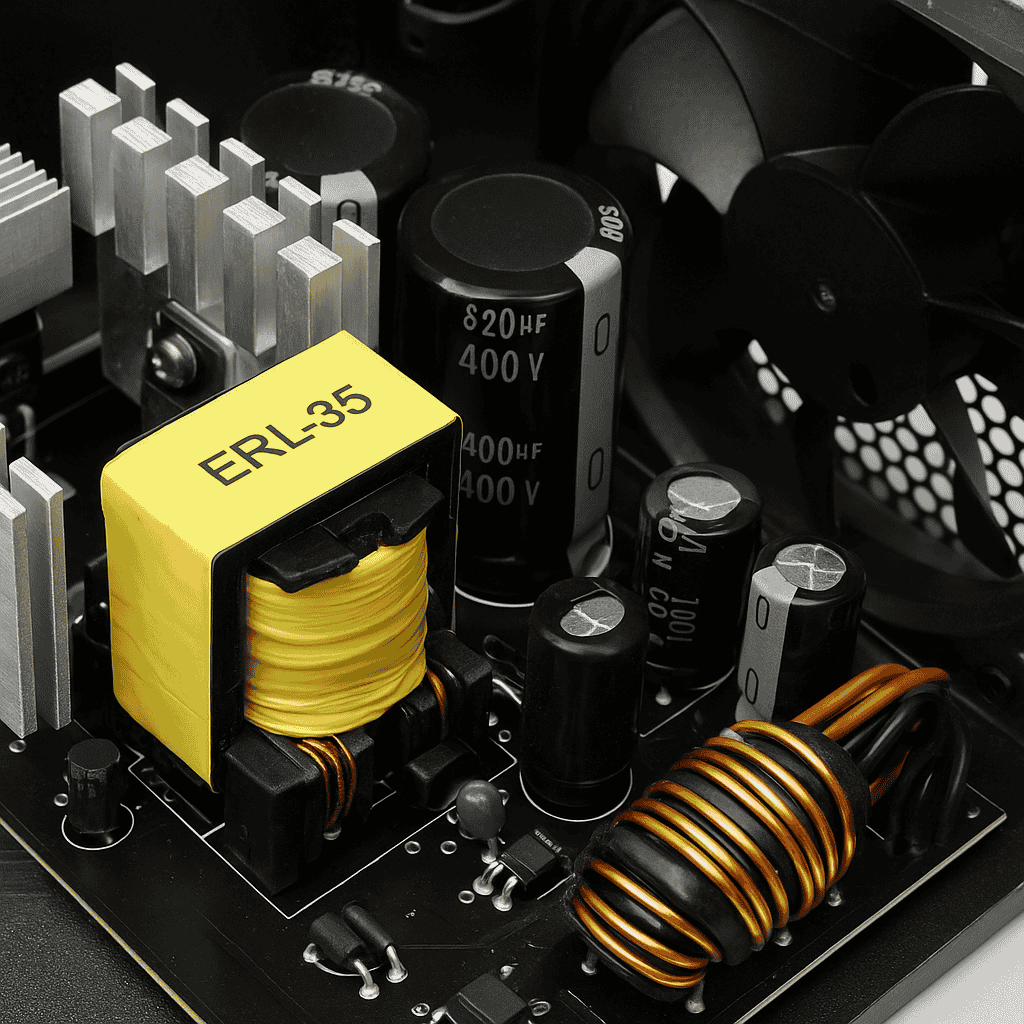
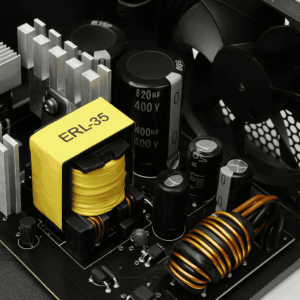
A PSU typically includes a transformer, rectifier, filter, and voltage regulator. These components of power supply unit in computer hardware work together to provide clean and stable energy to the motherboard and peripherals.
Importance of Power Supply in Computer System

Although often overlooked, the PSU is critical for system health. A poor-quality PSU can cause:
-
Random shutdowns or restarts.
-
Data loss during power fluctuations.
-
Permanent damage to sensitive parts.
A quality PSU, by contrast, ensures system stability and supports high-demand hardware. This demonstrates the importance of power supply in computer system design, showing why what is the power supply unit in a computer is a question that matters for both beginners and experienced builders.
Role in PC Building and Upgrading
When building or upgrading, the PSU must be chosen carefully. Key considerations include:
-
Power Requirements – Matching wattage with CPU and GPU.
-
Future-Proofing – Leaving room for upgrades.
-
Connector Types – Ensuring compatibility with modern components.
-
Noise Levels – Some PSUs include quiet or fanless designs.
Selecting wisely ensures the PSU supports the present build and future needs.
Modern Innovations
Recent PSU innovations include:
-
Digital Monitoring – Software tools for real-time voltage tracking.
-
Zero-RPM Modes – Fans that stop at low loads for quieter operation.
-
Advanced Protections – Stronger safety systems against surges.
-
Eco-Friendly Standards – High-efficiency models that reduce energy use.
These features reflect changing expectations in performance, reliability, and sustainability.
Lifespan
Most PSUs last between 5 and 10 years, depending on build quality and conditions. Premium units with durable capacitors may last longer. Dust cleaning and proper airflow also help extend lifespan.
Frequently Asked Questions
What happens if the PSU does not supply enough power?
The system may not boot or may shut down under heavy load.
Can an old PSU be reused?
Yes, as long as it meets wattage and safety requirements, though efficiency may be outdated.
Does a high-wattage PSU use more electricity?
No. It only supplies the power the computer demands.
How do I know which PSU to buy?
Check the requirements of your CPU, GPU, and other parts. A 20–30% power buffer is often recommended.