

Introduction
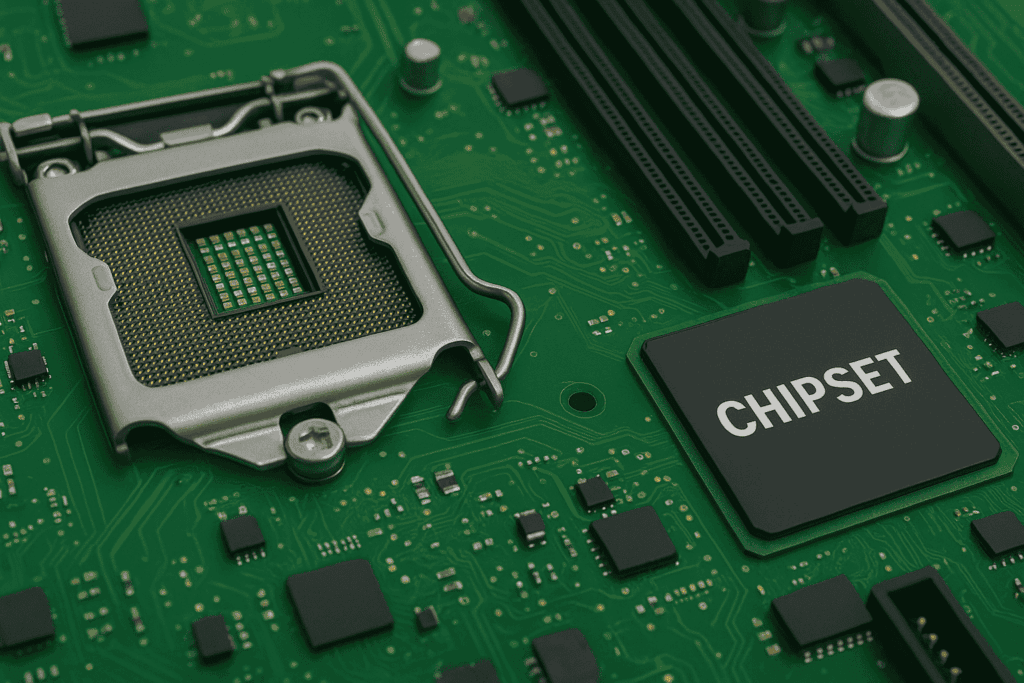
The motherboard, also known as the mainboard or system board, is the backbone of every computer. It acts as the central hub that connects the processor, memory, storage, and all the other parts of a PC, making sure they communicate and function as one. Without it, no modern system could operate.
In 2025, these boards are more advanced, powerful, and reliable than ever before. With support for next-generation CPUs, DDR5 memory, PCIe 5.0 graphics cards, and built-in Wi-Fi 6E, they deliver speed and efficiency for gamers, creators, and professionals alike. This article breaks down the motherboard in simple terms, explaining its components, types, functions, and continued importance.
Key Components of a Motherboard
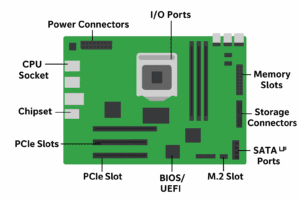
A motherboard is made up of several crucial elements that keep the computer running:
-
CPU Socket – Holds the processor in place and ensures compatibility.
-
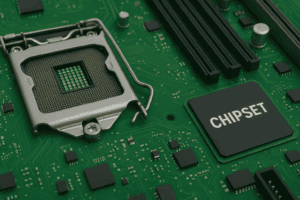
Chipset – Directs data between the processor, memory, and storage.
-
Memory Slots – Provide space for RAM modules, with DDR5 offering faster speeds in 2025.
-
Expansion Slots (PCIe) – Allow installation of graphics cards, sound cards, and other upgrades.
-
Storage Connectors – Include SATA ports for SSDs/HDDs and M.2 slots for NVMe drives.
-
Power Connectors – Supply electricity from the power supply unit.
-
I/O Ports – External connectors for USB, HDMI, Ethernet, and audio.
-
BIOS/UEFI Firmware – Boots the system and manages hardware settings.
Types of Motherboards
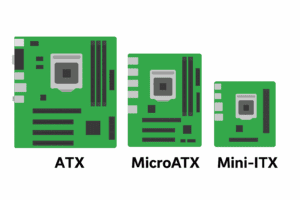
Motherboards come in various form factors to suit different builds:
-
ATX – The most common size, offering the most features and expansion.
-
MicroATX – A more compact option that still provides flexibility.
-
Mini-ITX – Extremely small, ideal for portable or space-saving systems.
-
E-ATX – Larger and feature-rich, perfect for gaming or workstation setups.
Each type is designed with specific users in mind, from casual PC owners to enthusiasts.
Functions of the Motherboard
The motherboard performs several vital tasks inside a PC:
-
Connectivity – Links the CPU, memory, storage, and external devices.
-
Power Management – Distributes energy to components safely and efficiently.
-
System Startup – Uses BIOS/UEFI to boot the operating system.
-
Upgrade Support – Provides options for future CPU, RAM, or GPU upgrades.
-
Built-in Features – Modern boards often include networking, audio, and Wi-Fi.
Evolution Over Time
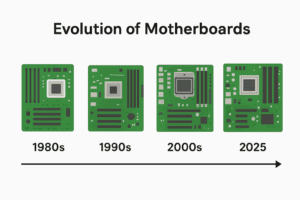
The first IBM PC in 1981 featured a very basic motherboard, with most functions handled by expansion cards. As technology developed, features like sound, storage, and networking were integrated directly onto the board.
The ATX standard, introduced in the 1990s, became the foundation for today’s motherboards. By 2025, boards include advanced options such as DDR5 RAM, PCIe 5.0 expansion, Wi-Fi 6E, and improved cooling designs. This evolution has made them more reliable and capable than ever before.
Leading Brands in 2025
A few manufacturers continue to dominate the market with high-quality boards for different budgets and needs:
-
ASUS – Premium options with gaming and professional features.
-
MSI – Durable and performance-oriented models.
-
Gigabyte – A wide selection, from entry-level to flagship.
-
ASRock – Affordable designs with competitive features.
-
Biostar – Budget-friendly solutions for everyday computing.
Conclusion
The motherboard remains at the core of every computer, connecting and coordinating all the essential components. In 2025, it has become smarter, faster, and more powerful, serving as the foundation for everything from gaming rigs to compact home PCs.
Choosing the right motherboard ensures stability, performance, and room for upgrades. Whether you’re a beginner or an experienced builder, it remains one of the most important parts of any computer system.
For more technology insights, visit AllTechSolutions.us.
Frequently Asked Questions (FAQ)
1. What is the role of a motherboard?
It acts as the central hub that connects the CPU, memory, storage, and peripherals, allowing them to work together.
2. Which motherboard is best for gaming in 2025?
ATX motherboards are often chosen for gaming because they support multiple slots, high-performance components, and better cooling.
3. Do all modern motherboards come with Wi-Fi?
Not all models include Wi-Fi. High-end boards often feature Wi-Fi 6E, while budget options may require an external adapter.
4. Can I upgrade my CPU without replacing the motherboard?
Yes, if the new CPU is compatible with the board’s socket and chipset. If not, a replacement will be necessary.
5. What’s the difference between ATX, MicroATX, and Mini-ITX?
-
ATX – Full-size with the most features.
-
MicroATX – Smaller but still versatile.
-
Mini-ITX – Ultra-compact, for space-saving PCs.