
Hard Disk Drive (HDD): The Foundation of Computer Storage Technology
Overview
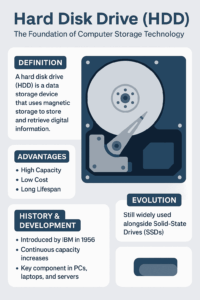
A Hard Disk Drive (HDD) is a non-volatile data storage device used to store and retrieve digital information. It remains one of the core components in computers, laptops, servers, and external storage devices.
Since its invention, the HDD has served as the backbone of data storage technology, offering a balance between capacity, reliability, and cost efficiency. Even with the rise of Solid-State Drives (SSDs), HDDs continue to play a crucial role in computing today.
History and Development
The first hard disk drive was introduced by IBM in 1956, known as the IBM 305 RAMAC. It featured fifty 24-inch platters and could store about 5 MB of data — revolutionary for its time.
Over the years, advancements in magnetic storage and manufacturing have transformed HDDs into compact, high-capacity storage solutions. Today’s models can hold over 20 terabytes (TB), thanks to innovations like Perpendicular Magnetic Recording (PMR) and Shingled Magnetic Recording (SMR).
Structure and Components
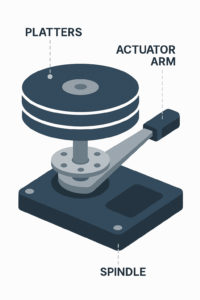
A typical hard disk drive consists of several key parts:
-
Platters: Circular disks coated with magnetic material that store data.
-
Spindle: Rotates the platters at high speeds, commonly 5,400–7,200 RPM.
-
Read/Write Heads: Tiny magnetic sensors that read and write data on platters.
-
Actuator Arm: Moves the heads precisely across the disk surface.
-
Controller Board: Translates data between the computer and the drive.
-
Enclosure: Protects the internal components from dust and vibration.
Related Read: Computer Chipset Explained — how HDDs communicate with the motherboard.
How a Hard Disk Drive Works
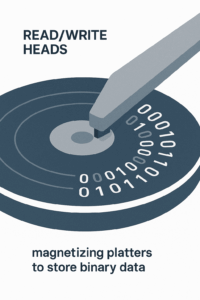
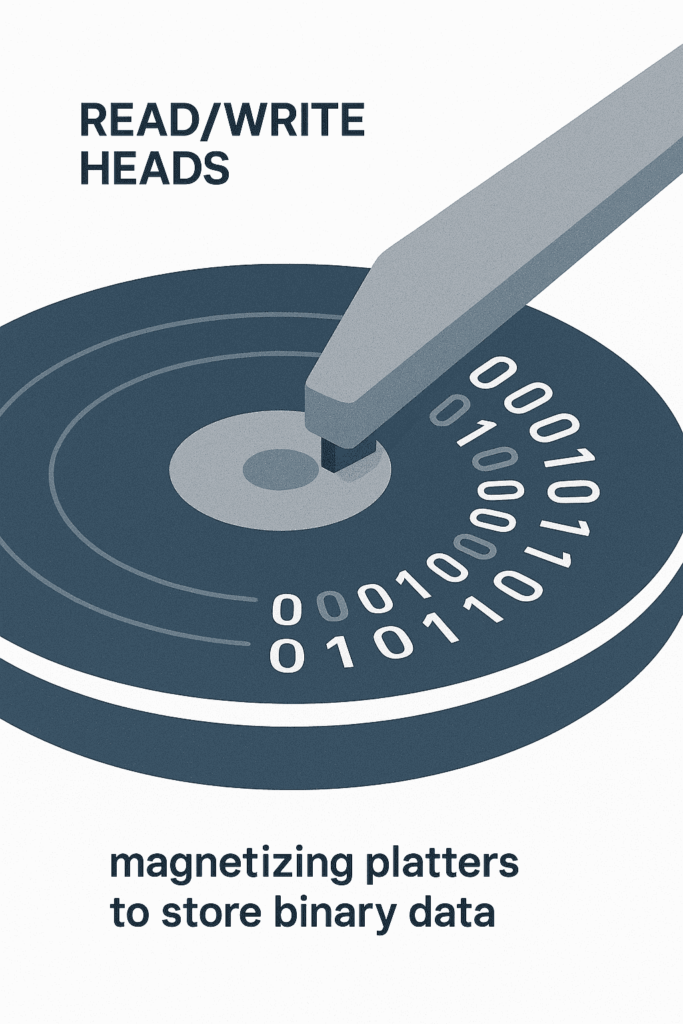
When you save a file, the read/write heads magnetize tiny regions on the platter to represent binary data — 0s and 1s. When retrieving that file, the heads detect these magnetic changes and translate them back into readable information.
This mechanical process differentiates HDDs from Solid-State Drives (SSDs), which store data electronically in flash memory.
Types of Hard Disk Drives
-
Internal HDDs – Installed inside computers as the main storage drive.
-
External HDDs – Portable drives connected via USB for data backup.
-
Enterprise HDDs – Built for servers and data centers with higher durability.
-
NAS HDDs – Designed for Network-Attached Storage systems for 24/7 operation.
Advantages of HDDs
-
High capacity at a lower cost compared to SSDs
-
Ideal for data backups and mass storage
-
Reliable lifespan with proper maintenance
-
Easy to replace or upgrade
Limitations of HDDs
-
Slower data access and transfer speeds than SSDs
-
Mechanical parts are prone to wear or damage
-
Slightly higher power consumption
-
Generates heat and noise during operation
HDD vs SSD: What’s the Difference?
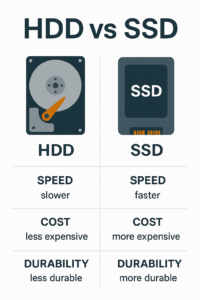
| Feature | HDD | SSD |
|---|---|---|
| Storage Type | Magnetic platters | Flash memory |
| Speed | Moderate | Much faster |
| Durability | Mechanical wear possible | No moving parts |
| Cost per GB | Lower | Higher |
| Ideal Use | Bulk storage | System and application drive |
Both have their strengths: SSDs are faster, while HDDs remain unbeatable for large, affordable storage.
Explore more in our detailed guide:
🔗 SSD vs HDD: Which Storage Is Right for Your PC?
Applications of Hard Disk Drives
HDDs are used in:
-
Desktops and laptops
-
Servers and data centers
-
Gaming consoles
-
Surveillance and CCTV systems
-
Backup and cloud storage solutions
Maintenance and Lifespan
To ensure optimal performance and longer lifespan:
-
Avoid sudden shocks or drops
-
Keep your system clean and cool
-
Defragment your HDD regularly
-
Use reliable power supplies
Related resources:
Future of Hard Disk Drives
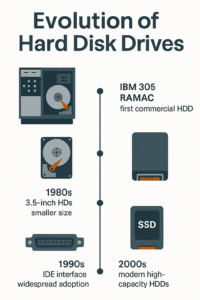
Despite competition from SSDs, HDD technology continues to evolve. Future drives may utilize Heat-Assisted Magnetic Recording (HAMR) and Microwave-Assisted Magnetic Recording (MAMR), pushing capacities beyond 30 TB.
This ongoing innovation ensures HDDs remain a reliable and scalable option for high-volume data storage in both consumer and enterprise applications.
Frequently Asked Questions (FAQ)
1. What is the main purpose of a Hard Disk Drive (HDD)?
An HDD stores operating systems, software, and user data — everything from documents to games.
Learn more about storage technology at AllTechSolutions.us.
2. What are the differences between an HDD and an SSD?
HDDs use spinning platters, while SSDs use flash chips. SSDs are faster, but HDDs offer larger capacity for less cost.
🔗 Read our full comparison here.
3. How long does a typical hard disk drive last?
Most HDDs last 3–5 years on average. Avoiding overheating and physical damage can extend their lifespan.
🔗 Learn about proper cooling systems.
4. Can I use an external HDD for backups?
Yes. External hard drives are a reliable and portable backup solution.
5. What are the common causes of HDD failure?
Failures are often due to mechanical wear, power surges, or heat damage.
🔗 Read about PSU protection.
6. Which is better for gaming — HDD or SSD?
SSDs offer faster game load times, while HDDs provide affordable space for large game files.
A hybrid setup using both is often best.
7. How do I know if my hard disk drive is failing?
Watch out for slow performance, clicking noises, or data corruption — all early signs of drive failure. Always back up your files.
8. Is the hard disk drive still relevant today?
Yes. HDDs remain essential for data centers, cloud storage, and backups due to their capacity and affordability.
Conclusion
The Hard Disk Drive (HDD) remains a cornerstone of modern computing. Despite newer technologies, HDDs continue to deliver high-capacity, reliable, and cost-effective storage solutions for individuals and businesses alike.
For more hardware insights, visit AllTechSolutions.us — your trusted resource for computer and technology guides.