
Mouse (Computer Input Device)
A mouse is a computer pointing device that enables users to control the on-screen cursor and interact with digital environments. By combining movement, clicks, and scrolling, it provides faster and more intuitive navigation compared to a keyboard alone. Since its invention in the 1960s, this computer peripheral has become a standard input tool in offices, schools, and homes worldwide.
At AllTechSolutions.us, we explore how essential devices like the mouse shape everyday technology use and continue to evolve alongside modern computing needs.
History and Development
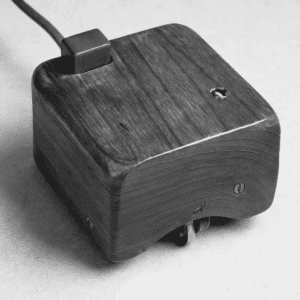
The first mouse was created in 1964 by Douglas Engelbart at the Stanford Research Institute. Made of wood with two perpendicular wheels, it revolutionized how users could interact with computers by translating hand movement into on-screen motion.
In the 1980s, mechanical ball-driven models became mainstream. They used a rubber ball to detect movement, which required occasional cleaning but offered smoother navigation than earlier prototypes. By the late 1990s, optical sensors replaced the ball mechanism, providing higher accuracy and less maintenance. This technology improved productivity for professionals and made the input tool more reliable for general users.
Laser sensors were the next advancement, offering even finer precision. Designers, engineers, and gamers benefited greatly from this leap in accuracy. Later, wireless technology entered the scene, freeing devices from cables and making the controller more convenient for laptops and mobile work setups. Today, innovations continue with hybrid devices that integrate touch surfaces, voice commands, and even gesture recognition.
Types
Wired Models
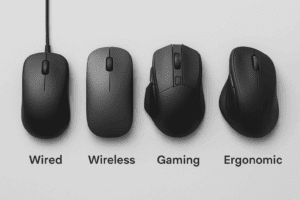
Wired versions connect through USB or older PS/2 ports. They are affordable, consistent, and require no batteries. This makes them dependable for classrooms, offices, and workplaces where reliability is a priority.
Wireless Input Devices
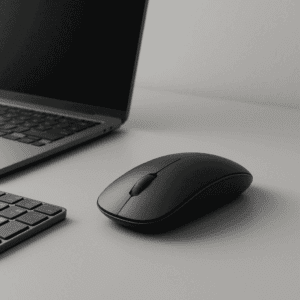
A wireless mouse connects via Bluetooth or a USB receiver. It offers portability and a clutter-free workspace, especially valuable for laptop users. While older wireless devices were prone to lag, modern models provide almost identical performance to wired versions.
Gaming Mouse
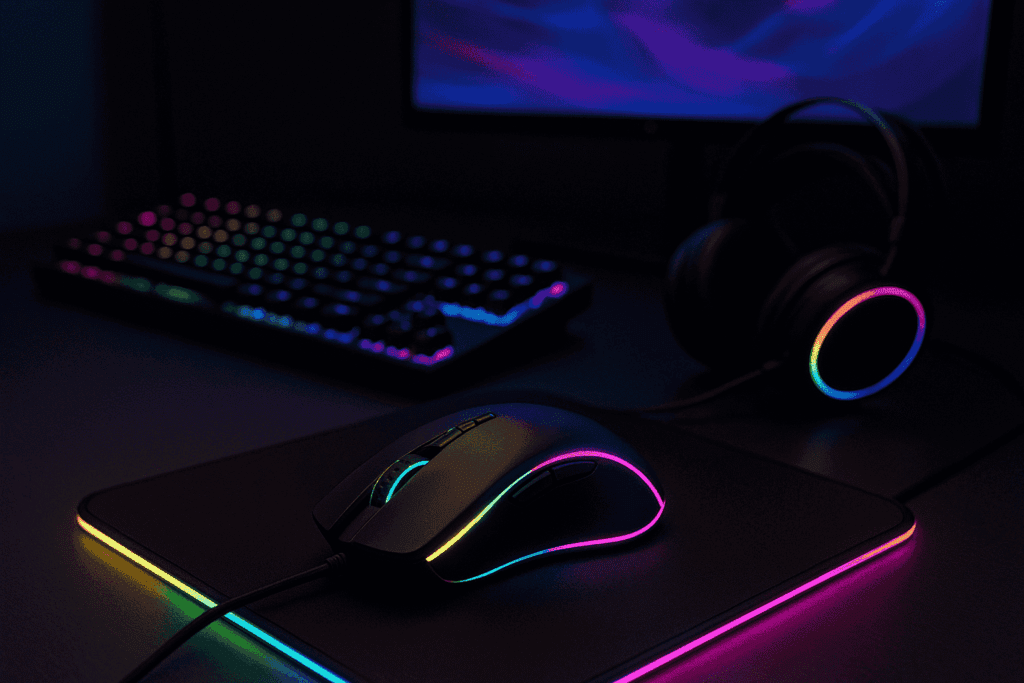
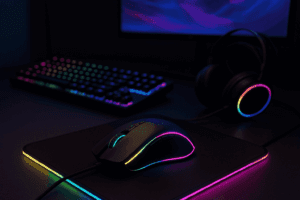
A gaming mouse is built for speed, accuracy, and customization. With features like high DPI sensors, programmable buttons, and ergonomic grips, these devices are favored by competitive players and eSports professionals. Advanced models even include adjustable weights and RGB lighting for personalization.
Ergonomic Designs
An ergonomic mouse reduces physical strain by encouraging a natural wrist and forearm position. Vertical designs, trackballs, and sculpted grips make them popular among professionals who spend long hours working at a computer. Over time, they can help prevent repetitive strain injuries such as carpal tunnel syndrome.
Applications
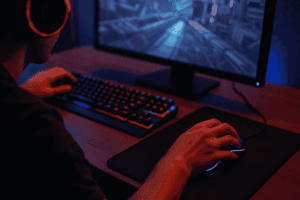
This computer accessory is one of the most versatile tools for interacting with digital content. In business, it supports activities like editing documents, creating presentations, and navigating spreadsheets. In creative industries, designers and engineers rely on it for precise control in CAD software, photo editing, and video production.
Gamers use advanced versions to improve reaction times and precision in competitive environments. At home, the input device is essential for browsing, shopping, communication, and entertainment. Its adaptability across industries and households highlights its enduring importance.
Advantages and Limitations
Advantages
-
Accurate and precise navigation
-
Easy to use for beginners
-
Wide compatibility with most systems
-
Affordable and available in many varieties
Limitations
-
Some models require batteries or recharging
-
Not as portable as touchpads
-
Extended use without ergonomic support can cause wrist strain
Future Trends
Looking ahead, the mouse is likely to evolve alongside other emerging technologies. Gesture-based input and haptic feedback are being tested, allowing users to control systems with natural hand movements and tactile responses. AI-driven personalization could adapt sensitivity and button functions automatically to match individual user habits.
Integration with virtual reality (VR) and augmented reality (AR) is another possibility, where pointing devices could serve as hybrid controllers that bridge traditional computing and immersive environments. While touchscreens, voice input, and gesture recognition are growing alternatives, the mouse remains the most trusted tool for precise and efficient digital interaction.
Frequently Asked Questions
Which model is best for gaming?
A gaming mouse with high DPI settings, programmable buttons, and durable switches is ideal. Some even include customizable weights for better control.
Is a wireless mouse better than wired?
It depends on your needs. A wireless mouse offers flexibility and portability, while wired versions deliver consistent, lag-free performance without the need for batteries.
What’s the most comfortable option for long hours?
An ergonomic mouse is recommended. Its design reduces wrist strain, making it suitable for professionals and gamers who spend extended hours at their desks.
Do wireless input tools lag?
Modern wireless models minimize latency, and high-quality versions perform nearly as well as their wired counterparts. For competitive gaming, however, many still prefer wired devices for guaranteed responsiveness.
How long does a mouse last?
A well-built mouse can last anywhere from two to five years, depending on build quality, brand, and frequency of use. Gaming and professional models may have shorter lifespans due to heavier usage but often come with durable switches rated for millions of clicks.
Conclusion
The mouse has transformed from a wooden prototype into one of the most essential tools in modern computing. Whether wired, wireless, gaming-focused, or ergonomic, it continues to shape how people interact with digital environments.
If you want to explore more about technology trends, devices, and solutions that power everyday computing, visit AllTechSolutions.us — your hub for practical insights and modern tech solutions.