
CCTV Monitor: The Essential Display for Modern Surveillance Systems
A CCTV monitor is a specialized display used to view live or recorded footage from a closed-circuit television (CCTV) system. It serves as the visual interface that allows users to monitor different areas in real time, review recordings, and manage overall surveillance efficiency. Modern CCTV display screens are engineered for clarity, durability, and continuous operation—making them vital components in any security setup.
1. Overview
A CCTV monitor, often referred to as a surveillance monitor, is built to operate 24/7 in control rooms, offices, retail stores, and public facilities. Unlike standard computer displays, these monitors are optimized for extended use, high color accuracy, and multiple video input types such as HDMI, VGA, and BNC.
Advanced video surveillance displays are now integrated into both analog and digital systems, ranging from small home networks to large-scale commercial installations. Their ability to display sharp images and handle continuous workloads ensures dependable, real-time monitoring.
2. Types of CCTV Monitors
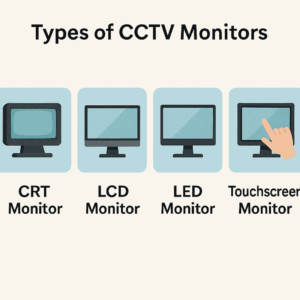
Over time, CCTV display screens have evolved with technology improvements. Below are the most common types used in surveillance systems today:
2.1 CRT Monitors (Legacy Technology)
Cathode Ray Tube (CRT) monitors were once the standard for security camera monitors. While known for accurate color depth, they are now considered outdated due to their size, weight, and high energy use.
2.2 LCD Monitors
Liquid Crystal Display (LCD) monitors replaced CRTs with slimmer profiles and better efficiency. They are ideal for basic CCTV viewing setups, offering decent resolution and moderate durability.
2.3 LED Monitors
Light Emitting Diode (LED) monitors are now the most common CCTV display screens, delivering crisp visuals, reduced power use, and longer lifespan—perfect for continuous surveillance.
2.4 Touchscreen Monitors
Used in modern control centers, touchscreen surveillance monitors allow operators to zoom, switch camera feeds, and control system functions easily.
2.5 Professional Video Surveillance Displays
These are high-end models designed for mission-critical environments like airports, casinos, and government control rooms. Video surveillance displays offer superior calibration, anti-burn-in protection, and wide viewing angles.
3. Key Features to Consider
When selecting a security camera monitor, it’s important to focus on features that ensure long-term performance and image accuracy:
-
Screen Size & Aspect Ratio: Choose based on viewing distance and the number of camera feeds (16:9 is standard).
-
Resolution: Full HD (1080p) or 4K options provide clear footage for identification.
-
Brightness & Contrast: High values enhance clarity in low-light or bright areas.
-
Input Ports: Look for HDMI, VGA, or BNC compatibility depending on your system type.
-
Power Efficiency: LED models offer energy savings for 24/7 operation.
-
Mounting Flexibility: Wall or rack mounting is common in control rooms and offices.
4. How CCTV Monitors Work
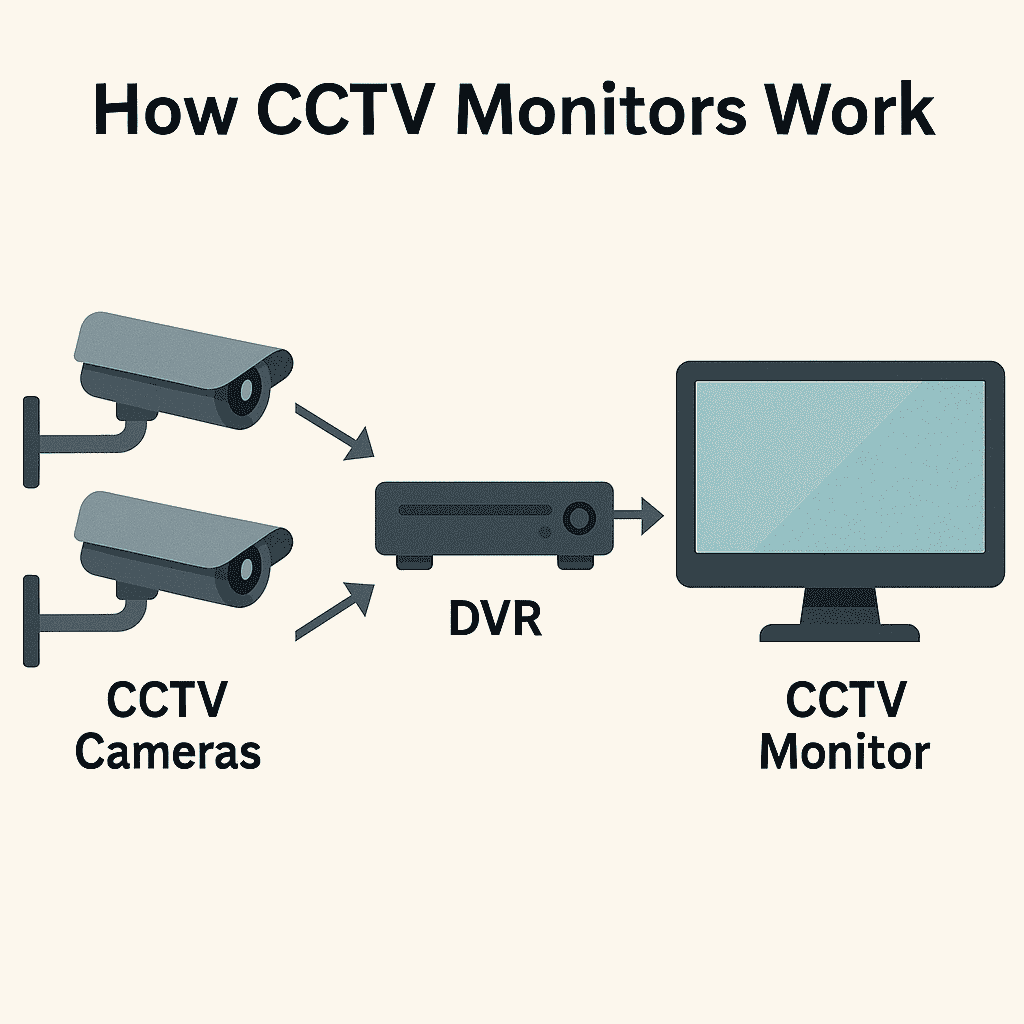
A CCTV monitor connects to a DVR (Digital Video Recorder), NVR (Network Video Recorder), or directly to IP cameras. It displays video signals from these devices, allowing live monitoring or playback of recorded footage.
Analog systems use coaxial cables with BNC connectors, while modern digital setups utilize HDMI or Ethernet for high-definition output. The CCTV display screen converts these signals into visuals that security personnel can view and manage effectively.
5. CCTV Monitor vs Regular Monitor
Though similar in appearance, a security camera monitor is different from a standard computer monitor. It’s designed for durability, stability, and continuous use.
| Feature | CCTV Monitor | Regular Monitor |
|---|---|---|
| Input Type | BNC, HDMI, VGA | HDMI, DisplayPort |
| Usage | Continuous surveillance | Office or gaming |
| Lifespan | Extended for 24/7 operation | Standard daily use |
| Calibration | Optimized for low-light video | Optimized for color display |
| Durability | Industrial-grade | Consumer-grade |
6. Installation and Setup Best Practices
Proper installation ensures clear and reliable viewing from your CCTV display screen. Follow these guidelines:
-
Place the monitor at comfortable eye level and avoid direct light sources.
-
Keep adequate ventilation to prevent overheating.
-
Use surge protectors to protect from voltage fluctuations.
-
Regularly calibrate the display for accurate brightness and contrast.
-
Label cables to simplify maintenance and troubleshooting.
7. Common Issues and Troubleshooting
Even quality surveillance monitors can experience issues. Here are common problems and quick solutions:
-
No Signal: Check cable connections, power, and input source.
-
Screen Flickering: Often caused by interference or damaged cables.
-
Burn-in / Ghosting: Prevent by reducing brightness or using a screensaver.
-
Color Distortion: Reconnect or replace faulty HDMI or BNC cables.
8. Future Trends in CCTV Monitors
The next generation of video surveillance displays is focused on high-definition visuals and AI integration. Key developments include:
-
4K and 8K Displays: For improved recognition accuracy.
-
AI-Integrated Monitoring: Detects unusual movement or behavior automatically.
-
Split-Screen & Multi-View: View multiple camera feeds simultaneously.
-
Cloud-Based Monitoring: Access live feeds remotely on mobile or web dashboards.
9. Related Topics
For more information about surveillance components, explore:
10. Conclusion
A CCTV monitor plays a crucial role in ensuring real-time visibility and accurate surveillance management. Selecting the right security camera monitor guarantees consistent performance, enhanced image quality, and long-term dependability.
At AllTechSolutions, we provide high-quality surveillance equipment and expert installation services to meet your security needs.
Upgrade your security visibility — choose a professional-grade CCTV display screen for reliable, 24/7 monitoring.