
🏠 Introduction
Installing a CCTV system is one of the smartest ways to secure your home or office. But many people struggle to figure out how to install CCTV cameras correctly — from choosing the right spots to connecting all the wiring.
In this CCTV installation guide, AllTech Solutions breaks down the entire process in simple, CCTV installation step-by-step instructions you can follow, whether you’re a DIY enthusiast or planning to hire professionals.
🧰 Tools and Equipment You’ll Need
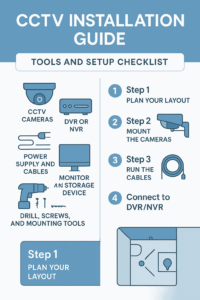
Before starting your installation, prepare these essentials:
-
CCTV cameras (dome, bullet, or PTZ)
-
DVR or NVR unit
-
Coaxial or Ethernet cables
-
Power supply and connectors
-
Monitor or smartphone app for viewing
-
Drill, screws, and mounting hardware
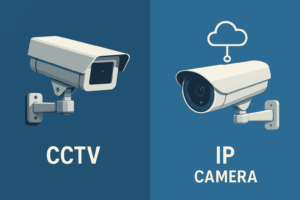
💡 Tip: The right camera type makes all the difference. Check out our Analog vs IP Camera Comparison before you start.
🔧 CCTV Installation Step by Step
Step 1: Plan Your Layout
Map out where you’ll place each camera. Cover entrances, driveways, hallways, and any blind spots.
-
Use dome cameras indoors and bullet cameras outdoors.
-
Avoid direct light or glare from windows.
-
Keep cameras at least 8–10 feet high for best coverage.
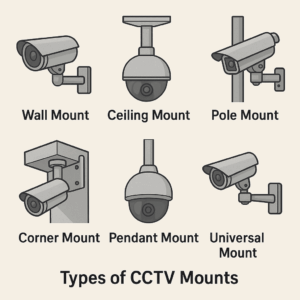
📍 See our CCTV Mount Types and Placement Guide for ideal positioning and mounting height.
Step 2: Mount the Cameras
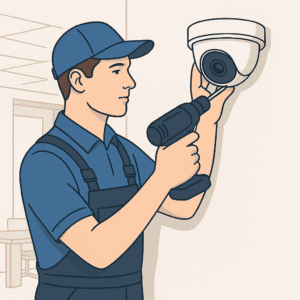
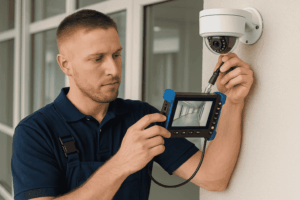
Secure the mounts using screws and anchors.
Ensure each camera faces its intended target and tighten its angle to prevent movement.
Avoid placing cameras too close to light sources or in areas exposed to heavy rain unless weatherproofed.
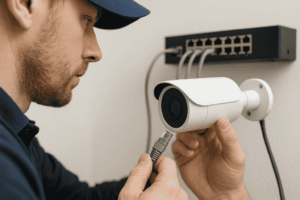
Step 3: Run the Cables – CCTV Camera Wiring Guide
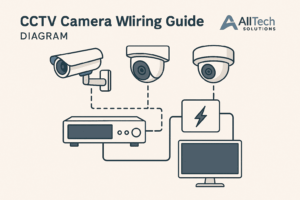
Cable management is crucial for safety and clarity of your video feed.
-
For wired cameras, use coaxial (for DVR) or Cat6 Ethernet (for NVR/PoE) cables.
-
Hide wires through conduits or walls to prevent tampering.
-
Label each cable for easier troubleshooting.
💡 Read our detailed CCTV Software & Connection Features to see how wiring affects camera performance.
Step 4: Connect to DVR or NVR
Once your cameras are mounted and wired:
-
Plug camera cables into the corresponding DVR/NVR ports.
-
Connect the DVR/NVR to your monitor or router.
-
Power everything on and check that each camera feed appears on screen.
Step 5: Configure and Test the System
-
Adjust camera angles and focus.
-
Test night vision and motion detection.
-
Configure the DVR/NVR for recording and storage.
-
Set up remote access for live viewing on mobile or desktop.
📱 Want cloud recording? Learn about your options in our CCTV Video Storage Comparison Guide.
⚙️ How to Install CCTV Camera at Home (Quick DIY Version)
If you’re doing a simple home CCTV installation, follow this:
-
Use 2–4 cameras to cover front doors, driveways, and hallways.
-
Opt for wireless cameras if drilling is not possible.
-
Connect to your home Wi-Fi or NVR.
-
Download the camera app and enable motion alerts.
For more complex systems, a professional CCTV installation service is strongly recommended.
🚫 Common Mistakes to Avoid
-
Ignoring blind spots
-
Using poor-quality cables
-
Overlooking surge protection
-
Forgetting to secure your DVR/NVR passwords
🧑🔧 DIY vs Professional CCTV Installation Service
While DIY systems are great for small homes, a professional CCTV installation service ensures:
-
Secure cable routing and weatherproofing
-
Optimal camera placement
-
Integration with smart home systems
-
Reliable setup of remote monitoring
💬 Thinking of upgrading? Visit our CCTV Price Guide 2025 to compare system and installation costs.
✅ Conclusion
Installing a CCTV system gives you real-time protection and peace of mind — but only when it’s done right. Whether you’re setting up a basic home camera network or a full office system, following this CCTV installation guide ensures everything runs smoothly.
🔐 Need help with installation?
Contact AllTechSolutions today for a professional CCTV installation service — we’ll design, install, and configure a reliable security system tailored to your property.
❓FAQs
Q1: How long does a CCTV installation take?
Home setups take around 3–4 hours; office systems can take up to a day depending on scale.
Q2: Can I install CCTV without Wi-Fi?
Yes. Wired systems record locally to a DVR even without an internet connection.
Q3: What’s the ideal height for CCTV installation?
Between 8–10 feet, ensuring visibility and preventing tampering.
Q4: Do I need professional installation?
If your setup involves multiple cameras, network cabling, or smart integrations — yes, it’s best handled by professionals.