
Introduction
A monitor is any device used to observe, display, or track activity. While many people think of computer screens, the term now includes baby cams, fitness trackers, and security systems. This article explores different categories, their uses, and how to choose the right device.
1. Computer Screens
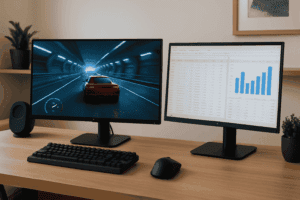
Computer displays are the most familiar type. They act as visual output devices for text, images, and video.
1.1 Evolution
- CRT displays: Heavy, bulky, and outdated.
- LCD technology: Slim, light, and energy-efficient.
- LED and OLED screens: Better color, brightness, and clarity.
1.2 Features to Consider
- Resolution (1080p, 1440p, 4K, 8K)
- Refresh rate (60Hz–240Hz)
- Panel types (IPS, TN, VA, OLED)
- Ergonomic design for work and gaming setups.
1.3 Use Cases
- Work: Dual-screen setups improve productivity.
- Gaming: High refresh rates and fast response times.
- Design: Accurate colors for editing and creative work.
2. Baby Monitoring Devices
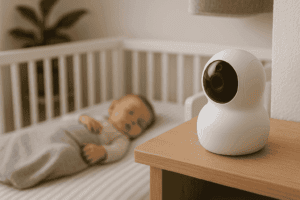
Parents use baby cams to keep track of infants remotely.
2.1 Types
- Audio units: Transmit sound only.
- Video devices: Provide live streaming.
- Smart versions: Include Wi-Fi, health tracking, and mobile apps.
2.2 Benefits
- Night vision support.
- Two-way communication.
- Alerts for sound and movement.
- Advanced models track breathing and sleep.
3. Health and Fitness Trackers
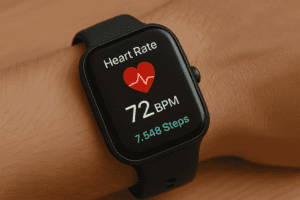
Wearable devices monitor daily activity and well-being.
3.1 Features
- Step counting and heart rate tracking.
- Sleep analysis and oxygen measurement.
- Syncing with apps for progress.
3.2 Medical Tools
- Blood pressure devices.
- Glucose tracking systems.
- ECG-enabled wearables.
3.3 Benefits
- Encourages healthier lifestyles.
- Provides data for consultations.
- Supports early detection of issues.
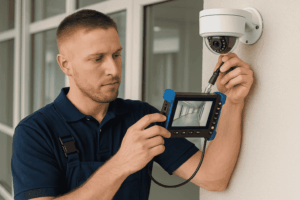
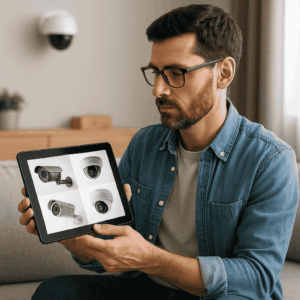
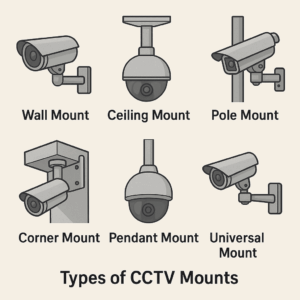
4. Security Systems
Observation devices play a key role in home and business safety.
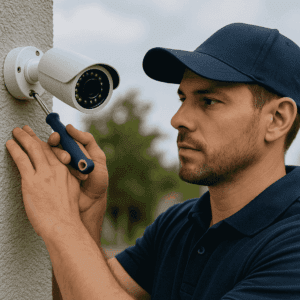
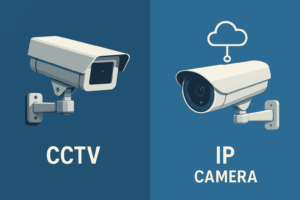
4.1 CCTV Systems
- Wired and wireless models.
- Remote monitoring via apps.
4.2 Smart Home Security
- Motion detection cameras.
- Doorbell cams with AI support.
4.3 Commercial Use
- Multi-display control rooms.
- 24/7 observation in critical areas.
- Integration with alarms for quick response.
5. Industrial and Specialized Displays
These devices support heavy-duty and technical industries.
5.1 Industrial Panels
- Built for extreme environments.
- Touch-enabled options for factories.
- Rugged designs withstand vibration, heat, and moisture.
5.2 Medical and Scientific Imaging
- High-resolution displays for radiology and surgery.
- Portable devices for field research.
- Precision-focused units in aerospace and military applications.
5.3 Other Applications
- Transportation: Monitors in aircraft cockpits and ships.
- Energy sector: Displays for power plants and oil rigs.
- Engineering: CAD-focused high-definition screens.
6. Choosing the Right Device
When deciding on a monitoring solution, consider:
- Purpose: Work, health, safety, or entertainment.
- Budget: Premium vs. cost-effective.
- Technology: Wired, wireless, or smart.
- Durability: Build quality and brand support.
7. Future Outlook
Expect smarter integrations with AI, IoT, and eco-friendly production. Devices will become:
- More health-focused, with predictive tracking.
- AR/VR compatible for immersive experiences.
- Integrated with cloud systems for real-time data.
- Designed with recyclable materials to reduce e-waste.
Emerging technologies like foldable displays and holographic screens may also redefine what a monitor looks like in the future.
Conclusion
From computer monitors and baby cams to fitness trackers and security displays, monitoring technology touches nearly every aspect of daily life. Choosing the right one depends on purpose, budget, and features.
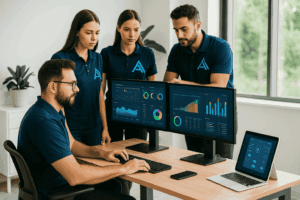
For expert integration of screens, devices, and security systems, visit All Tech Solutions — your trusted IT partner.
FAQ
Q1: What is the most common type of monitor today?
LED computer displays are the most widely used due to their clarity and affordability.
Q2: Are Wi-Fi baby monitors secure?
Yes, with strong passwords and updated encryption.
Q3: What should I look for in a gaming screen?
High refresh rates, adaptive sync, and low response time.
Q4: Can health devices replace doctor visits?
No, but they provide helpful data for medical consultations.
Q5: How do security systems improve safety?
They enable remote viewing, crime deterrence, and quick alerts.
Q6: What are industrial monitors used for?
They are built for harsh conditions and support industries like manufacturing, aviation, and energy.