
Smart Choice 2025: How to Pick the Best CCTV System for Your Home or Business
🧠 Introduction
When it comes to securing your home or business, choosing the best CCTV system can feel overwhelming. With so many options—analog, IP, smart, and AI-integrated cameras—it’s easy to get lost in technical details.
At AllTechSolutions, we help property owners make smarter security decisions. This 2025 guide will walk you through everything you need to know — from choosing the right camera type to installation and storage — so you can confidently pick the CCTV system that truly fits your space.
🏠 1. Assess Your Property Size and Layout
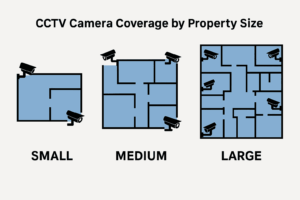
Before choosing your CCTV setup, evaluate your property’s layout.
-
Small homes or offices may only need 2–4 cameras covering entrances and key areas.
-
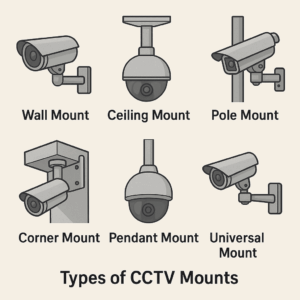
Larger commercial spaces require multiple cameras with different mounting angles and viewing ranges.
👉 Read next: Best CCTV Mounting & Placement Guide for Optimal Coverage
Learn how to position cameras for full visibility and prevent blind spots.
📷 2. Choose Between Analog and IP CCTV Systems
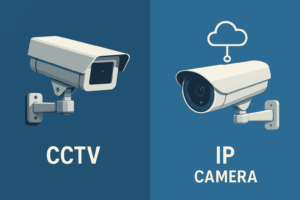
The biggest decision most users face is analog vs IP systems.
-
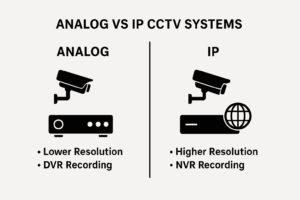
Analog CCTV: More affordable and ideal for small properties.
-
IP CCTV: Delivers higher resolution, smart connectivity, and remote access.
👉 Related post: CCTV vs Surveillance Systems: 5 Game-Changing Differences
Compare features, technology, and costs to see which suits your security needs best.
💾 3. Pick the Right Storage Option: DVR, NVR, or Cloud
Your recording method determines how you’ll store and manage video footage.
-
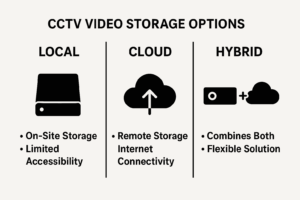
DVR (Digital Video Recorder): Works with analog systems.
-
NVR (Network Video Recorder): For IP cameras, supporting high-quality video.
-
Cloud storage: Ideal for modern smart systems with easy access anywhere.
👉 Explore more: DVR CCTV System: Features, Benefits, and Setup Guide
🌙 4. Consider Smart Features for 2025 Security Needs
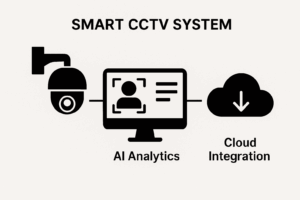
Modern CCTV systems are evolving fast — and smart features can dramatically enhance security.
Look for:
-
AI motion detection
-
Facial recognition
-
Night vision
-
Cloud connectivity and mobile app alerts
👉 Learn more: Next-Generation CCTV Software: AI, Cloud, and Smart Integration
Discover how AI-driven CCTV solutions improve detection accuracy and monitoring efficiency.
🔧 5. Professional vs DIY Installation — Which Should You Choose?
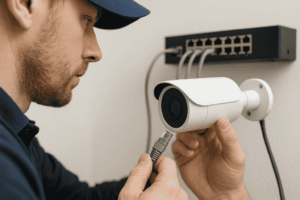
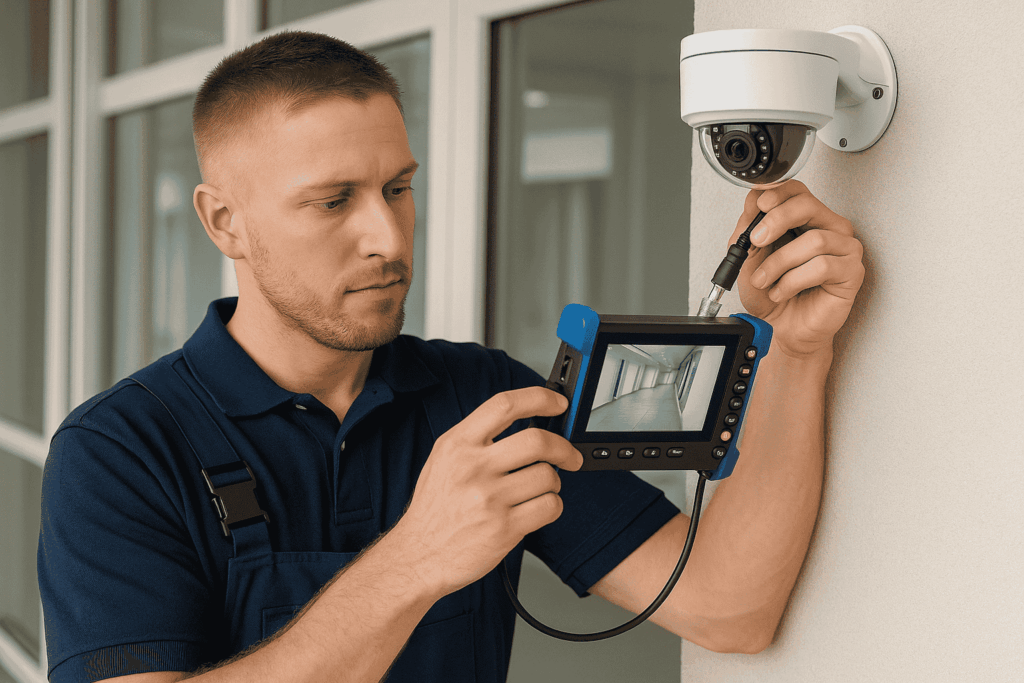
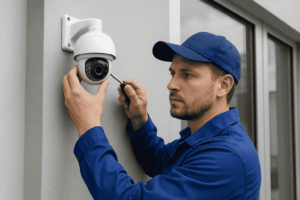
While DIY kits are available, professional installation ensures reliability, correct positioning, and safe cable routing.
-
DIY systems are cheaper but risk poor camera angles and setup issues.
-
Professional installation guarantees long-term stability and expert maintenance.
👉 Also read: CCTV Mounting and Installation Tips
💰 6. Compare Costs and Long-Term Value
CCTV system prices depend on camera type, features, and storage.
-
Basic analog kits: $200–$400
-
IP systems with AI features: $500–$1,200+
-
Enterprise-grade setups: $2,000+ with monitoring services
👉 You may also like: Network Cameras Explained: Types and Features
Understand how different camera technologies affect cost and performance.
🧰 7. Don’t Forget Maintenance and Troubleshooting
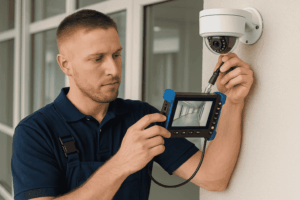
Even the best CCTV systems need regular maintenance.
-
Check connections and firmware updates
-
Clean camera lenses
-
Review footage quality monthly
👉 For more insights: CCTV Maintenance and Troubleshooting Tips
Keep your security system running smoothly all year.
🔹 Frequently Asked Questions (FAQ)
1. What type of CCTV system is best for home use?
For home security, an IP CCTV system is recommended because it offers HD video quality, remote viewing via mobile app, and easy integration with smart home systems. It’s ideal for homeowners who want clear footage and smart monitoring features.
2. How many cameras do I need for my property?
The number of cameras depends on your property size and layout:
-
Small homes: 2–4 cameras (entrances, living area, backyard)
-
Medium properties: 6–8 cameras (add garage and hallways)
-
Large commercial spaces: 10+ cameras with strategic zone coverage
3. What’s the difference between analog and IP CCTV systems?
Analog CCTV systems use DVRs and coaxial cables, while IP systems use NVRs and connect through network cables or Wi-Fi. IP systems generally provide higher resolution, cloud storage, and remote access, making them more advanced for modern needs.
4. How long do CCTV systems store video footage?
Storage depends on camera resolution, number of cameras, and hard drive or cloud capacity. Most systems keep footage for 7 to 30 days, but you can expand this using cloud storage or larger HDDs.
5. How much does a CCTV system cost in 2025?
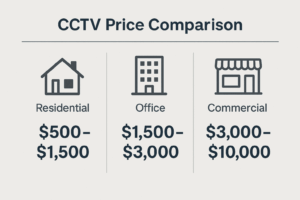
Average installation costs vary by property type:
-
Residential: $500–$1,500
-
Office: $1,500–$3,000
-
Commercial: $3,000–$10,000
6. Can I install a CCTV system myself?
DIY installation is possible for small systems, but professional installation ensures optimal camera angles, wiring safety, and system reliability.
🚀 Conclusion: Make the Smart Choice Today
Choosing the right CCTV system is about more than just cameras — it’s about smart protection, tailored to your property’s unique needs.
Whether you manage a small shop or a large office, investing in a reliable system ensures peace of mind and long-term security.
Need expert help choosing or installing your CCTV system?
Contact AllTechSolutions for professional CCTV installation, system setup, and maintenance.
Protect what matters most — the smart way.